how-to · 14 min read
How to Charge a No-Show Fee for Pet Grooming (Vagaro, MoeGo, Square, Gingr, Time to Pet)
How to charge a no-show fee for pet grooming: the exact settings path in Vagaro, MoeGo, Square Appointments, Gingr and Time to Pet, plus the Stripe steps to actually collect and the 87-word policy that survives chargebacks.
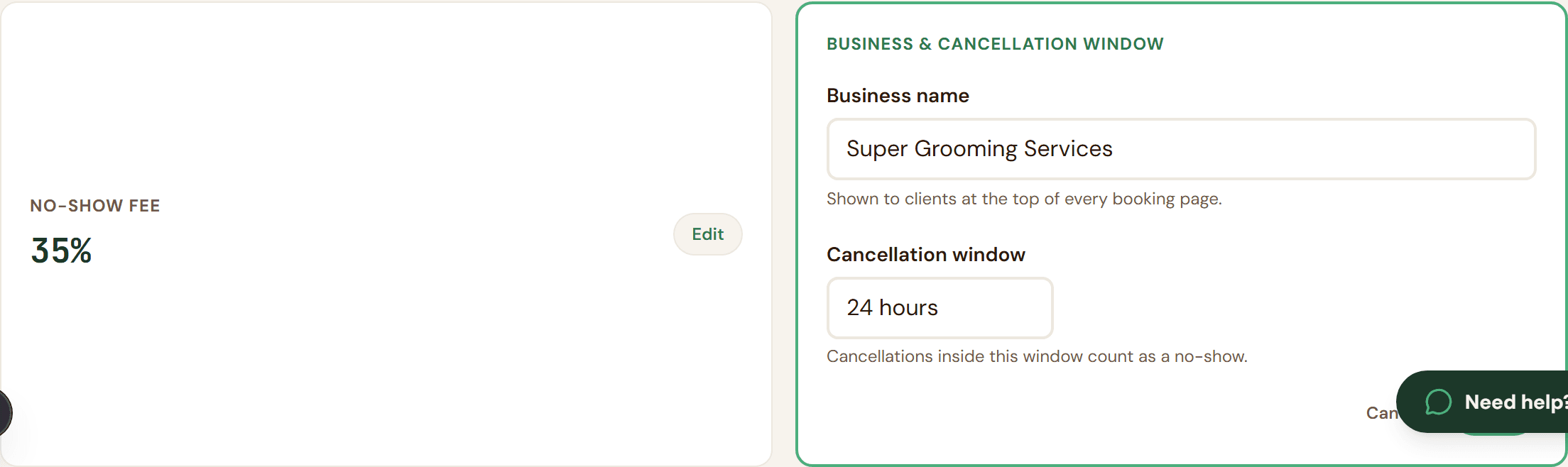
Last Monday a groomer in the Groomers United Facebook group posted that he lost $340 before noon. Three no-shows back to back on a $60 to $120 ticket range, the kind of week the pillar walks through in detail. I'm Manuel, I'm an engineer, and I built Groomli after watching my own groomer eat the same week twice in three months. This post is not about whether you should charge a no-show fee. The pillar already covers that. This post is the part nobody writes down: the exact clicks inside Vagaro, MoeGo, Square Appointments, Gingr and Time to Pet, the Stripe setting that decides if the money lands, and the 87 words you need in your policy so the charge actually sticks when the client opens a dispute.
Jump to your platform (or skip to the audit)
- The outcome: one tap, six seconds, money in your account
- Run the 5-question no-show audit
- Why most no-show fees never get collected
- Set the fee floor: why $30 is the math
- Vagaro walkthrough
- MoeGo walkthrough
- Square Appointments walkthrough
- Gingr and Time to Pet walkthrough
- The Stripe side: save, charge, win the dispute
- The 87-word policy template
- Three objections
- Recover one no-show, pay back the month
- Your next 15 minutes
- FAQ
The outcome: one tap, six seconds, money in your account
By the end of this post you have three things. First, the exact 4 clicks inside Vagaro, MoeGo, Square Appointments, Gingr and Time to Pet to turn on a cancellation policy and require a card at booking, plus the one disclaimer that the path may differ in your version (search "cancellation policy" in your software's help docs if it does). Second, the one Stripe setting that decides whether your $30 fee charges off-session days after the appointment without the customer tapping anything, the same SetupIntent mandate Groomli uses so the card authorization does not die after 7 days like a manual pre-auth. Third, the 87 words of policy copy, lifted from what card networks actually want to see on a chargeback rebuttal, that turn a "she didn't agree to that" dispute into a won case in roughly 8 minutes of evidence upload.
That is the dream. A $60 no-show becomes a $30 recovered fee, one tap from your phone, six seconds, money in your Stripe balance not Groomli's. The next nine sections are the receipts.
Run the 5-question no-show audit
Before the walkthroughs, five questions tell you which of the gaps is leaking your fees: card on file or not, policy wording, reminder cadence, Stripe processor settings, and dispute evidence. Answer the five and you get a 9-day email plan back, one fix per day, written for groomers not for engineers.
If you'd rather read the playbook first, scroll on. The audit will still be here.
Why most no-show fees never get collected
I had this argument with a groomer at a coffee shop in March. He had a 25% no-show fee written on his booking page, in his confirmation email, and on a laminated sign at the front desk. He had collected it twice in a year. He runs about 14 appointments a week. The Groomers United post I opened with, the $340 one, is the same story with different numbers. The policy exists. The money does not move.
When I tore apart his setup, then mine, then four other groomers' setups one by one, the leak was always in the same three places. If you can't answer all three of these, the fee on your booking page is decoration, not protection.
One: no card captured at booking. A policy without a card on file is a strongly worded letter. You can send three reminders, you can quote the cancellation window, you have nothing to charge against. The booking tool needs to take a real card (Stripe SetupIntent or equivalent) at the moment of booking, not at check-in.
Two: no timestamped acceptance. When the client opens a dispute, the card brand asks one question: did this person agree to the fee, and when. If your answer is "it's on my website," you lose. You need the exact policy text, the exact timestamp, and the booking ID tied to the same email the charge came from.
Three: no one-tap mechanism. The manual Stripe Dashboard flow (find the customer, find the SetupIntent, build a PaymentIntent off_session, confirm) is about 2 minutes per no-show. After no-show number three on a busy Friday, the groomer quietly stops doing it. The fee dies from friction, not from policy.
Set the fee floor: why $30 is the math, not the vibe
Pick your no-show fee from the dispute math, not from what feels fair. Here is the math.
Stripe charges a $15 dispute fee the moment a customer opens a chargeback, win or lose. If you win the dispute, you get the original charge back, you eat the $15. If you lose, Stripe keeps that $15 and you lose the original charge too, so call it another $15 of lost economics on a $30 ticket. A $25 no-show fee that loses a dispute is net negative $5 for you. You paid the client to not show up.
The fee floor for that math to even break even is $30. That's the number where a lost dispute costs you roughly zero instead of going backwards. Below $30, every disputed charge is a paper cut. At $35-$50 you actually have margin to absorb the disputes you lose and still come out ahead on the ones you win.
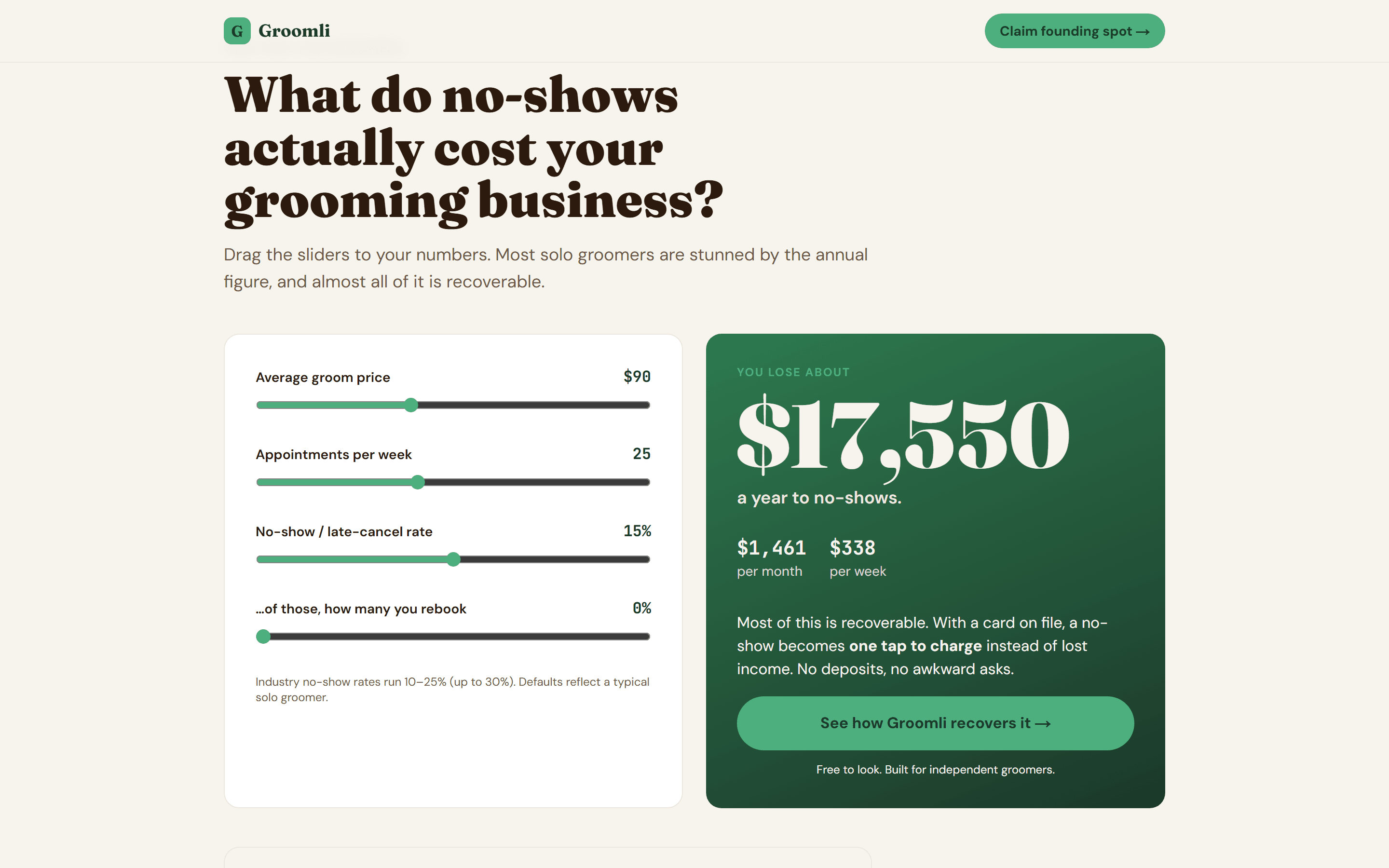
The pillar walks through how a solo groomer on a $60 average ticket leaks $300 to $500 a week to no-shows and late cancels. That's the number that matters. Collection rate decides the math, not the headline fee. A $50 fee collected 70% of the time beats a $75 fee collected 20% of the time, every single week.
If you want to see your own annual leak with your own ticket and your own no-show rate, run your annual leak in 90 seconds. It takes three inputs.
One more thing on the floor. Don't go above $75 unless your average ticket is north of $150. The card brands start scrutinizing fee-to-ticket ratios above 50%, and a $90 fee on a $70 groom is the kind of thing that loses on "reasonableness" alone. Match the fee to the service, keep it above $30, and the math works.
How to charge a no-show fee in Vagaro
Vagaro has the settings. The question is whether the charge actually fires when the client ghosts you.
Open Vagaro on desktop, not the app. Go to Settings > Online Booking > Cancellation Policy. Set your window (24 or 48 hours is what most groomers in the forums run), set the fee as a flat dollar amount or a percentage of the service, and write the policy text in the box. Save.
Then go to Settings > Online Booking > Require Credit Card to Book and turn it on. This is the toggle most groomers miss. Without it, the booking page lets clients reserve with no card, which is exactly how my own groomer was losing slots.
One more step. Open each service under Services > Edit, scroll to the cancellation/no-show section, and confirm the fee is enabled per service. Vagaro defaults some services to off even after you set the global policy.
Now the honest part. Vagaro's auto-charge is partial. It depends on whether you're on Vagaro Pay (their processor) or an external one, and the card auth Vagaro holds is a short pre-authorization, not a durable mandate. Search "Vagaro no show fee not charging" and you'll find years of forum threads where the policy was set correctly and the charge still never ran. The card auth expired before the appointment window closed, or the per-service toggle was off, or the processor rejected the off-session attempt.
What you still need outside Vagaro to actually collect: a timestamped log of when the client accepted the policy, a send-log of every reminder you sent (for dispute evidence), and a one-tap way to charge the card after the visit window without re-asking the client.
Groomli sits next to Vagaro as the collection and dispute layer when you need the charge to actually fire.
Your version may differ slightly. If the path doesn't match, search "cancellation policy" in Vagaro's help docs.
How to charge a no-show fee in MoeGo
MoeGo is cleaner than Vagaro on this. The path is Settings > Booking > Cancellation Policy. You pick flat fee or percentage of the service price, set the cutoff window (most groomers I've talked to set 24 hours), and turn on card-on-file capture so the intake form refuses to submit without a card. Save. Done at the policy layer.
Your version may differ slightly. If the path doesn't match, search "cancellation policy" in MoeGo's help docs.
The gap is the same gap every booking tool has. MoeGo's enforcement is policy-based. The system holds the card and shows the policy at booking, but the actual charge does not fire on its own. When the client doesn't show, you have to open the appointment, mark it as no-show, and manually trigger the fee. If you forget, or you're elbow-deep in a Golden, the $60 walks. I've watched my own groomer do this. The intent is there, the click never happens.
The second gap is the dispute. When the client sees the charge and calls their bank, MoeGo doesn't auto-assemble your evidence. You have to dig up the booking confirmation, prove the policy was shown and accepted with a timestamp, pull the reminder send-log, and upload it all to Stripe inside the bank's window. Most groomers I've talked to don't bother. The $15 dispute fee plus the $15 counter is why I set $30 as the floor.
What MoeGo gives you: the policy, the card, the cutoff. What MoeGo does not give you: an auto-charge on no-show, a timestamped acceptance record, a four-touch send-log, and a one-tap dispute-evidence packet.
Groomli adds the auto-evidence packet and one-tap charge on top of MoeGo's policy, so you actually keep the fee after a dispute.
How to charge a no-show fee in Square Appointments
Square is the cleanest of the four if you already process payments through Square. If you don't, this section is mostly informational, because the cancellation fee feature requires Square as your payment processor.
The path: Settings > Appointments > Cancellation Policy. Toggle "Charge a cancellation fee," set the window (24 hours is the common default), and pick the fee. Square lets you choose a flat amount or a percentage of the service price. Then go into each service under Items & Services > Service Library and confirm the per-service toggle is on, because the policy applies per service, not globally. Save, then book a test appointment on yourself to confirm the card-on-file requirement is firing at checkout.
Your version may differ slightly. If the path doesn't match, search "cancellation policy" in your Square Appointments help docs.
Now the honest gaps.
First, there's a recurring Reddit thread pattern where groomers say the fee "isn't working." The most common cause: Square's card authorization isn't kept live past the appointment window. If the client booked 3 weeks out and no-showed, the hold the system placed at booking may already be stale, and Square doesn't always re-auth in the background. The charge silently fails and you don't find out until you check the transaction log.
Second, on some Square plans the cancellation fee is capped as a percentage of the service price, not a flat dollar amount you control. If your $30 floor is bigger than the cap on a $40 nail trim, you're under the cap.
Third, if the client disputes the charge, Square gives you a form. You fill it in by hand. Policy text, booking timestamp, reminder history, photos of the empty slot. You're assembling the evidence packet yourself, every time.
What you need next to Square to actually collect: a Stripe SetupIntent mandate that doesn't expire the way a manual pre-auth does, a one-tap charge button that fires after you mark the appointment no-show, and an evidence packet that auto-assembles (policy acceptance timestamp + the four-touch reminder send-log + original confirmation + charge metadata) so the upload to the card brand takes 8 minutes, not 40.
Groomli plugs into the Stripe side that Square's processor doesn't expose, so the card stays charge-ready and the dispute evidence assembles itself.
How to charge a no-show fee in Gingr and Time to Pet
Gingr and Time to Pet sit in the same corner of the market: daycare, boarding, mobile grooming, multi-staff operations. The card-on-file story in both is roughly the same: the platform helps you collect the card, the policy lives as a text field, and the actual charge stays in your hands.
Your version may differ slightly. If the path doesn't match, search "cancellation policy" in your software's help docs.
Gingr. Admin > Settings > Reservations > Cancellation Reasons. Add a "No-show" reason so it shows up consistently in reports. Then Admin > Settings > Online Reservations > Require Credit Card on File. That last toggle is the one that matters. Without it, the booking goes through without a card and you have nothing to charge against. Auto-charge for no-shows is a separate add-on module, not the default. Most operators I've read about run it manually: mark the reservation as no-show, then post a charge to the saved card from the client's account screen.
Time to Pet. Company Settings > Billing > "Auto-save card on booking" (or the equivalent payment-method toggle for your processor). Then Company Settings > Policies > Cancellation Policy, which is a free-text field that shows up at checkout. The platform will not fire a charge on its own. You mark the appointment as a no-show, open the invoice, and run the saved card.
Both tools do the easy half well: they get the card on file and they show the policy. The hard half stays on you. You have to remember to mark the no-show, find the client, run the charge, and if the card brand opens a dispute later, you assemble the timestamps, the policy acceptance, and the reminder log yourself. No auto-evidence packet. No one-tap on the phone after a long day with a Spanish Mastiff in the last slot (mine is Koda).
Groomli is the one-tap layer for groomers on Gingr or Time to Pet who want the policy to translate into actual collected fees.
The Stripe side: save the card, charge it, win the dispute
This is the technical layer in plain English. No code, no jargon for the sake of jargon. Just what Stripe is actually doing under the hood when your booking software says "card on file."
SetupIntent vs the old pre-auth trick. Before card-on-file existed, the workaround was a manual pre-authorization. You'd put a $1 hold on the card at booking to confirm it was good. Problem: pre-auth holds expire. Visa and Mastercard let the processor decide, but the practical window is about 7 days. If the no-show happens on day 8, the hold is gone and so is your money.
SetupIntent is different. The cardholder authorizes off-session charges later at booking, and Stripe records that mandate without putting any expiring hold on the card. That mandate doesn't quietly die at 7 days. It's the same plumbing every gym, every Netflix, every subscription box uses to bill you later. Vagaro, MoeGo, Square, and Gingr all use SetupIntent under the hood. They just don't expose it. You get a "require card to book" checkbox and that's it.
The off-session charge flow. Once the client agrees at booking, you have a long runway to charge. Stripe's mandate doesn't expire on a fixed clock, though your processor may impose a window if a card gets reissued or canceled. The manual flow inside Stripe is: Dashboard > Customers > find the client > Create payment > pick the saved card > enter the amount > tick the "off-session" flag > submit. Roughly two minutes per no-show if you know where to click.
Two minutes sounds fine until you do it the third Friday in a row, at 8pm, after a 10-hour day on your feet. This is the part most groomer forum threads stop at: "I had it set up, I just stopped doing it." The booking platforms save the card and then leave the actual collection to you. Your version may differ slightly. If the path doesn't match, search "create payment off-session" in Stripe's help docs.
Where Groomli fits. Groomli sits next to your booking tool as the collection and dispute layer. Below is how the five most common platforms stack up against what Groomli adds on top of Stripe directly.
| Card-on-file at booking | Auto-charge no-show | Dispute evidence auto-packaged | One-tap from phone | |
|---|---|---|---|---|
| Vagaro | Yes (toggle) | Partial / inconsistent | No | No |
| MoeGo | Yes | No (manual trigger) | No | No |
| Square Appointments | Yes (per-service) | Sometimes (window limits) | No | No |
| Gingr | Yes (manual capture) | Add-on | No | No |
| Time to Pet | Yes | No (manual) | No | No |
| Groomli | Yes (SetupIntent) | Yes (one tap) | Yes (auto-assembled) | Yes |
The dispute evidence packet. The charge is the easy part. The dispute is where most groomers lose. When a client files a chargeback, Stripe categorizes it. The two that hit no-show fees are "credit_not_processed" (the client claims you owed them a refund) and "subscription_canceled" (the client claims they canceled in time). Stripe's published guidance is blunt: complete evidence packets beat evidence-light ones by a wide margin. They want four pieces every time: a timestamped policy acceptance, the reminder send-log, the original confirmation email, and matching charge metadata.
You have 7 days from the dispute notice. Compiling four screenshots and a CSV under that clock, after the work day, is the reason the pillar's "in my own data" win-rate sits where it sits. Groomli auto-assembles all four into a single PDF the moment a dispute lands.
| Evidence piece | What Stripe wants to see | Where it lives |
|---|---|---|
| Timestamped policy acceptance | Date/time the cardholder agreed to the cancellation terms | Your booking flow (or Groomli's evidence log) |
| Reminder send-log | Proof of every reminder sent with timestamp | Your email provider's send log (or Groomli auto) |
| Original confirmation email | What the client saw at booking | Your email outbox (or Groomli auto) |
| Charge metadata | Itemized description matching the policy | Stripe Dashboard (or Groomli's auto-assembled packet) |
The 87-word policy that holds up at the card brand
Every no-show policy that survives a Stripe dispute has the same four ingredients. Miss one and the card brand sides with the cardholder. The four:
- The notice window, stated in words, not implied. 24 hours is the floor. Anything shorter and the issuer treats the fee as punitive.
- The fee amount in dollars (or a percentage with a dollar minimum). "Full service fee or $30, whichever is greater" is the format that holds up. A bare percentage is too soft.
- Explicit card-on-file consent language. The cardholder has to authorize an off-session charge in plain English. "By booking, you authorize us to charge the card on file" is the phrase issuers look for.
- The liquidated-damages line. One sentence that says the fee represents the actual cost of a held slot. This is what kills the "service not rendered" dispute reason.
Here is the 87-word version I ship with Groomli. Copy it.
Cancellation policy. We hold your appointment time for you and turn away other clients. If you cancel or reschedule, please give us at least 24 hours notice. Cancellations or reschedules inside 24 hours, or no-shows (no arrival within 15 minutes of the appointment time), are charged the full service fee or a $30 minimum, whichever is greater. By saving a card and booking, you authorize us to charge the card for these fees off-session, and you agree these fees represent the actual cost of a reserved slot.
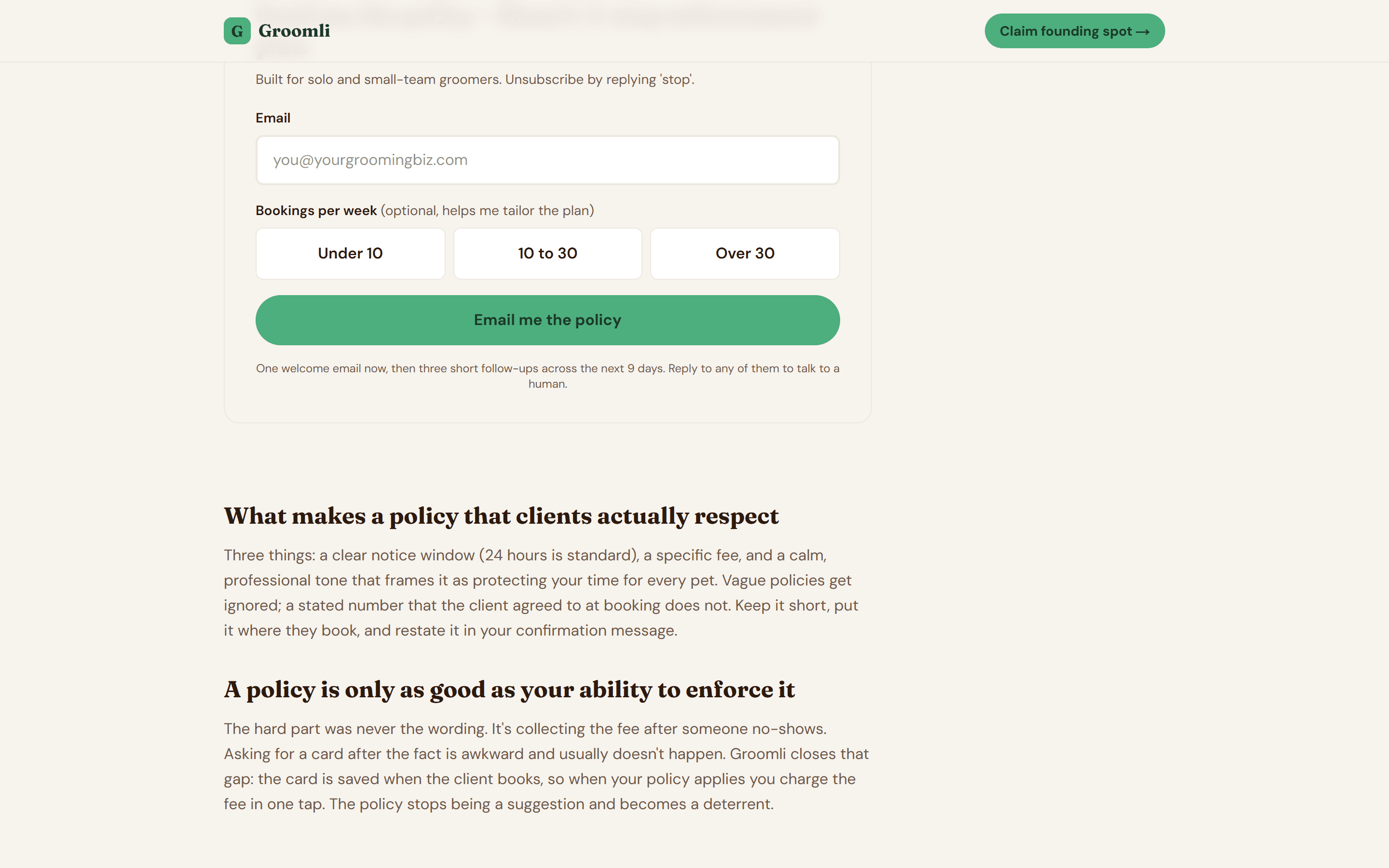
Three places to put it, in order of impact. Above the submit button on your booking page, as a checkbox the client has to tick before the slot confirms. That checkbox timestamp is half your dispute evidence. Inside the auto-confirmation email, pasted as plain text under the appointment details, so it shows up in the client's inbox with the booking. And as a small footer line on your business site, linked from your homepage. If you want the same generator from the pillar to spit this out with your shop name pre-filled, generate your policy in under 2 minutes.
One legal note. If you take cards across multiple US states or in California, Florida, or New York, run the wording past a local advisor before shipping. The structure is fine everywhere. The exact phrasing is where state rules apply.
I read every email. hello@groomli.app.
Three objections you are already thinking
1. "My best client will leave if I make her save a card."
She won't. The clients who push back hardest on saving a card are usually the same ones who would have ghosted on a Saturday morning. Think of it like the dinner reservation hold at the place she actually wants a table at. Nobody walks out of the OpenTable flow because a $25 hold is on the card. The clients who genuinely value your time read the policy on the booking screen, tap accept, and rebook without a single message to you. If saving a card scares off a regular, the regular was already halfway out the door. I would rather know that on Tuesday than find out at 9:02am on Saturday when the slot is dead and the next client is two hours away.
2. "I don't have time to switch booking tools."
Don't switch. Groomli is not a booking tool. It sits next to Vagaro, MoeGo, Square Appointments, Gingr or Time to Pet as the collection and dispute layer. You keep your calendar, your client list, your intake forms, your invoicing, all of it. Groomli handles one job: save the card at booking via Stripe SetupIntent, fire the four-touch reminder cadence (booking + 2d + 1d + 2h), and assemble the dispute packet if the client chargebacks. Setup is 10 minutes and a phone. If you want to pressure-test your current setup before you even look at Groomli, run the free 5-question no-show audit and see which of the five gates you are leaking through.
3. "Disputes will eat the fee. Why bother?"
The math at the $30 floor is built for the worst case. A $30 fee with a Stripe dispute costs you roughly $15 to open and $15 to counter. If you lose every single dispute, you net zero. You are not in the hole. Now add the auto-assembled four-piece evidence packet: timestamped policy acceptance, the reminder send-log, the original confirmation email, and the charge metadata. Upload to Stripe in about 8 minutes. The pillar shows the win-rate from my own data, and at that win-rate the $30 floor pays for the whole month after the second collected fee. The math always wins for you at $30 or higher.
Recover one no-show, pay back the month
A typical week of no-shows in the Groomers United thread runs $300 to $500. On a $60 average ticket, three no-shows is $180. On a $120 ticket, it's $360. The Founding-tier price is $29/mo, so the math is straightforward: one $30 floor fee collected covers the month of Groomli. Two collected fees ($60) pay for two months. One prevented no-show at a $120 ticket pays for four months. Anything beyond that is yours.
What Groomli does that your booking tool doesn't:
- Saves the card via Stripe SetupIntent at booking, so the authorization is a durable mandate and doesn't expire in 7 days like a manual pre-auth.
- One-tap charge from the dashboard, money lands in your Stripe account, never mine (0% take rate, Stripe Connect direct charges).
- Auto-assembles the dispute evidence packet: timestamped policy acceptance, the full reminder send-log, the original confirmation email, charge metadata. Upload to Stripe in about 8 minutes.
- Four-touch email reminder cadence (at booking, 2 days before, 1 day before, 2 hours before, SMS coming soon) so the client can't claim they forgot.
- Sits next to Vagaro or MoeGo as the collection and dispute layer.
The risk reversal: if you don't recover at least one no-show in 30 days, email hello@groomli.app and I refund you. The money lands in your Stripe account, not mine. I read every email.
Lock the Founding 25 seat
Claim a founding spot →Your next 15 minutes
Two paths from here. Pick the one that fits where you are right now.
Path A, if you want to think it through first: run the audit. Five questions, 60 seconds. It tells you which of the five collection gaps is costing you the most this month, and the 9-day plan walks you through closing each one.
Path B, if you already know the gap is "I don't have a card on file and I'm done losing $340 weeks": Lock the Founding 25 seat before the 25 spots are gone. Setup is 10 minutes and a phone. Cancel anytime, no contract.
If you want the full deep-dive on no-show fee strategy, the pillar is here: the full pillar on pet grooming no-show fees.
I read every email. hello@groomli.app.
FAQ
Can I charge a client's card without explicit permission for a no-show?
Explicit consent at booking is the bar. If the policy is visible at the point the card is saved and you have a timestamped acceptance, you are authorized to charge off-session under Stripe's mandate rules. Without the timestamp, you are exposed to chargeback losses. The 87-word policy plus a check-the-box at booking is what turns a fee into a defensible charge.
What if I don't have a card on file yet?
Starting tomorrow, every new booking goes through a "card to hold the slot" step. Existing clients you can re-onboard with a one-time message: "I'm moving to card-on-file for all appointments, here's the link to re-confirm." Most regulars say yes the same day. The holdouts are usually the same names already on your no-show list.
Does Square really cap the no-show fee at a percentage?
Yes on certain Square plans. The cap shows up in the per-service cancellation toggle and it quietly limits what you can auto-charge. Workaround: use a flat $30 to $50 fee in your policy text and pair it with a Stripe-side off-session charge for the difference when Square caps the auto-charge. Your version may differ slightly. If the path doesn't match, search "cancellation fee" in Square's help docs.
How long does a Stripe SetupIntent last?
The mandate doesn't expire on Stripe's side. The card itself can expire on the issuer end at renewal, and high-risk processors may flag mandates older than 12 to 18 months. In practice, refresh the card on file once a year as part of your client review. That's the same review where you also confirm the phone number and the dog's vaccine date, so it slots into a routine you already run.
What if the client disputes the charge?
You have 7 days to respond with evidence. The 4-piece packet wins: timestamped acceptance, reminder send-log, original confirmation email, and charge metadata. Without the packet, the dispute costs you $30 either way ($15 Stripe dispute fee plus the $15 counter). The packet is the work. Groomli auto-assembles it in about 8 minutes.
Will my booking tool auto-charge the no-show fee?
Depends on the tool and the processor. Per the comparison table above, Vagaro and Square are partial or conditional. MoeGo, Gingr, and Time to Pet require you to mark the appointment and trigger the charge by hand. None of them auto-assemble the dispute evidence packet. That's the gap Groomli closes: one tap to charge, packet ready in your dashboard the moment a dispute opens.
I read every email. Manu.